
With iOS 10 on the horizon, Messages users are about to get a ton of different fun messaging features and ways to communicate. There are a number of third-party keyboards available on the App Store, and while there still might be some kinks as to how quickly they load up, and the ease of switching between multiple keyboards, when they do work, they can really help. Here are three great third-party keyboards that’ll turn you into a wordsmith and help you find any information!
GBoard
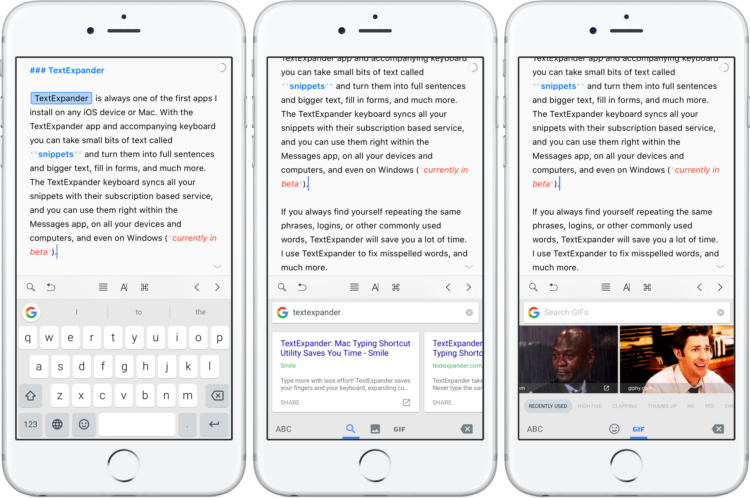
Google has been hitting it out of the park with some of its new app offerings, and GBoard is no different. With GBoard you can type (swipe typing is also available) and search for Emoji, images and GIFs all right from the keyboard.
GBoard’s strongest feature is the ability to search Google without ever having to leave the Messages app. Simply click the Google “G” icon and you’ll easily have a copy and paste-able link to Google search results in no time.
- Free – Download
Hemingboard
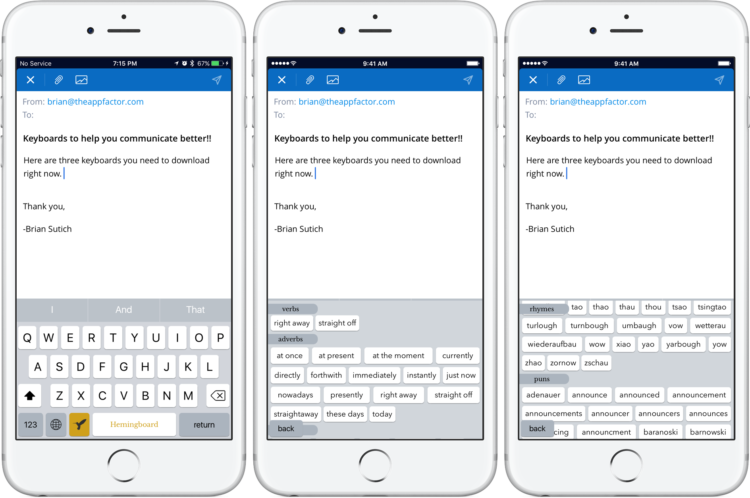
Hemingboard is the perfect third-party keyboard for those looking to expand their vocabulary. While using the keyboard, you can click the Hemingboard logo, and it’ll suggest Nouns, Adjectives, Synonyms, Verbs and more. It’ll also suggest rhymes and even puns. This would be a perfect fit for someone writing lyrics, or trying to craft that perfect Dad joke.
- $2.99 – Download
TextExpander
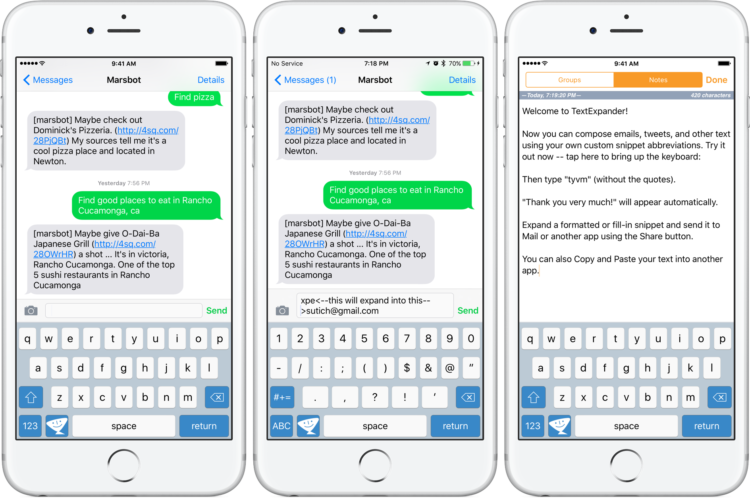
TextExpander is always one of the first apps I install on any iOS device or Mac. With the TextExpander app and accompanying keyboard you can take small bits of text called snippets and turn them into full sentences and bigger text, fill in forms, and much more. The TextExpander keyboard syncs all your snippets with their subscription based service, and you can use them right within the Messages app, on all your devices and computers, and even on Windows (currently in beta).
If you always find yourself repeating the same phrases, logins, or other commonly used words, TextExpander will save you a lot of time. I use TextExpander to fix misspelled words, and much more.
- Free (Requires TextExpander account) – Download
What third-party keyboards do you love to use?
These three keyboards are sure to help you communicate better. What third-party keyboards do you use to boost your communication?


Don’t forget swiftkey! The layout is great and it makes typing a breeze. Textexpander ‘s keyboard layout is atrocious.I’d rather eat nails than use it.
I’ve liked Swiftkey in the past. I generally try to try most of the popular ones when they come out to see if they’re helpful. Workflow, Slash, etc. all have something good about them. Now if we could only have an easy way, or a gesture to switch between all of them!
This is what bugs me about virtual keyboards – a lack of cursor navigation. Put me on a normal keyboard and I can type at 90wpm with my eyes closed. But if I had to go back a few lines and insert something, my fingers are too big to place the cursor in such a small space and cursor keys help.
This gets a little bit easier on the iPad where you have that functionality.
I have an iPad Air 2 – where’s this magical virtual keyboard with cursor keys to aid in navigation and better communication?