
Ever since the release of the 12.9″ iPad Pro last fall, there has been a debate raging over whether or not it could truly be a laptop replacement. Last month’s launch of the 9.7″ model just fueled the fire. The iPad Pro is one of the more polarizing products Apple has released in recent memory,
Tips

Developer tips: Quality assurance checks worth doing
The App Store has tons of applications and it can be hard to stand out amongst the big players. However, one of the ways developers can do this is by ensuring they get the little details right. A great app is one that stays great in all conditions. As a user I wouldn’t be pleased

How to screen share on your Mac with iMessage
There are many times when family or friends need help with their Macs, or they aren’t sure how to do something. Trying to walk them through it blind is challenging, at best. Luckily, a little known feature in the Messages exists that allows me to share my screen instantly with another Mac user, or I

iPad Pro Smart Keyboard shortcuts guide
Back in November I purchased a 12.9″ iPad Pro and a Smart Keyboard to go with it. I was so used to my Belkin keyboard paired with my iPad Air 2 that I quickly became frustrated with the Smart Keyboard’s lack of a shortcut row. Before long I returned the Smart Keyboard (and the 12.9″

How to unlock your Mac with an iPhone or Apple Watch
There aren’t a lot of apps I use regularly on my Apple Watch. The ones that I do use regularly consist of utilities that make my life easier, or apps that help me track things, like water intake or how many tasks I have left for the day. One of my favorite utilizes is MacID,
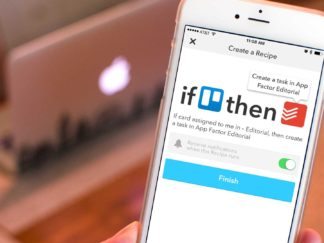
How to automatically add Trello cards to Todoist with iOS
As you may have noticed over the last month or so, I’ve had a little bit of a fascination with workflow automation and iOS. While some of it is the aftermath of trying to go iPad only, most of it is simply because I love using iOS to make managing tasks easier whenever possible. I
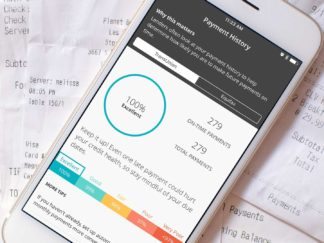
How to track all 3 of your credit scores for free from your iPhone
There are lots of finance apps available for iPhone these days. Some of them make tasks that used to be painfully irritating easier than ever — like monitoring your credit report and viewing your credit scores. Even better, if you have the right combination of finance apps, you can regularly monitor all three of your

7 hidden iOS Mail tips and tricks you should know
I recently talked about why I keep coming back to the stock iOS Mail app. While some of the things I’ve come to love about the stock Mail app are obvious, some of then are not — such as shortcuts or gestures that make using it even more intuitive. Here are a few of my
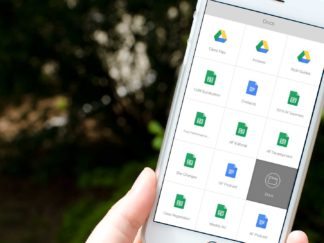
How to access Google Drive files faster with Launch Center Pro
Launch Center Pro has solved many workflow problems for me over the years. Most recently it’s been an immense time-saver when it comes to accessing Google Drive files I need often. While the Google Drive app itself is decent enough, it only acts as a hub to Google’s other apps, which is somewhat annoying. That’s

5 reasons I don’t use alternative email apps for iOS anymore
There’s no shortage of great alternative email apps for iPhone, or for the iPad for that matter. In the past year, we’ve seen the introduction of some stellar options such as Spark and even Airmail, which has been my favorite email app for OS X for years. Yet ever since iOS 8 came out, I

How to check iPhone battery life on Apple Watch
While we already know you can check your Apple Watch’s battery life on your iPhone, what about the other way around? Can you check your iPhone’s battery life from your Apple Watch? As it turns out, you can, with the help of one app.

How to scan, sign, and send PDFs on iPhone and iPad
PDF handling on the iPhone and iPad has vastly improved over the last year or so. Not only can you scan documents in as PDFs using the camera, you can even sign documents and send them off to the recipient, and even request the signature of others electronically.

