
Last September, I wrote an article in which I discussed the ways Apple could make iOS more visually accessible. In hindsight, my wish list of improvements, while good, was incomplete.
Tips

Live Photo previews not working on your iPhone? Here’s the fix!
The other day while sharing photos with a friend, I noticed as she scrolled through her Camera Roll that her Live Photos came alive as she swiped for just a 1/2 second or so. Upon testing my own, I found my own Live Photo previews not working. Even though I knew this was a feature,

How to quickly share links to Apple Notes
Apple Notes got a great update in iOS 9, so good in fact that a lot of us made the switch from Evernote to Apple Notes a permanent one. One of our favorite new features is the ability to share links to Apple Notes from almost anywhere using the Share sheet. You can even add

How to watch picture in picture YouTube videos on iPad
iOS 9 introduced picture in picture, or PiP, functionality for iPad users. That means you can watch videos in a floating window while continuing to do something else. Unfortunately the built-in YouTube app doesn’t currently support picture in picture — but that doesn’t mean you can’t watch picture in picture YouTube videos on iPad. Here’s

How to manage, edit, and delete multiple contacts on iPhone and iPad
Interact is a brand new contact management app by Agile Tortoise, the same makers of the popular notes app Drafts. It’s no secret that contact management on iPhone and iPad is lacking. Interact solves a lot of its shortcomings, such as the added ability to edit and manage groups, send messages and attachments to entire

How to export Health app data on iPhone and iPad
If you use the Health app on your iPhone or iPad to track data such as steps walked, calories burned, heart rate info, etc., you’ll want to make sure you have a backup in case things go awry. Currently, the only way to do this is to export Health app data somewhere else. Here are

How to edit and delete App Store reviews on iPhone and iPad
The other day I was looking through the App Store and noticed that my reviews for some apps needed to be updated. Instead of having to search for individual apps, I wanted an easy way to see and manage all the reviews I had ever left. As it turns out, not only can you view

Snapchat tips: How to share past or existing photos
Just the other day a friend of mine told me they wished they could post photos they had already taken on their iPhone to their Snapchat account. As it turns out, you can post existing photos to Snapchat, with just one caveat. There are many times when accessing the camera from the Lock screen or

Instagram tips: How to adjust the strength or intensity of a filter
There are instances where I want to use an Instagram filter on a photo but I find it to be too strong, or too intense, but somewhere in the middle would be a nice compromise. This is why Instagram gives you the option to adjust the strength and intensity to your liking. Here’s how: Instagram
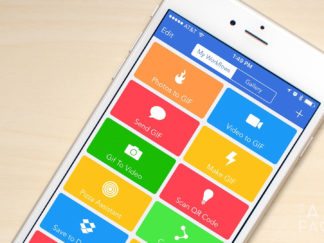
Workflow tips: Uploading multiple images to Dropbox
Dropbox is my central repository for many files I need to access no matter where I am or what device I’m using. From college work to managing multiple screenshots for articles, I rely on Dropbox upload for a lot of things. Unfortunately, Dropbox for iPhone and iPad only allow you to upload one photo or screenshot at a time. Luckily Workflow can fill the gap and let us upload multiple images at once to Dropbox. Here’s how:

How to fix stuck outbox messages on iPhone
Ever launch the Mail app on your iPhone to find a stuck outbox message that just won’t send — or maybe it did send but for some reason it still shows as not sent? While in some cases you can simply delete it and move on, in others, the Edit button is greyed out and unusable. If that sounds like a problem you’re having, here’s a fix I found:

How to fix iPhone out of storage issues with Google Photos
We’ve all been there, the dreaded *You are out of storage space* message on your iPhone or iPad. One of the biggest culprits, aside from the Messages app, is years and years worth of photos. Unfortunately iOS doesn’t yet give us a “bulk delete” option. However, if you have an iPhone out of storage (or iPad), you *can* use the Google Photos app to clear out unnecessary photos.

