
If you’re a developer, designer, or photographer, you probably spend quite a bit of time trying to calculate aspect ratios. If you have an iPhone, x2y can do all that for you automatically.
x2y lets you easily choose device resolutions and get automatic aspect ratios for any dimensions you need. There are even quick calculation buttons for 2x, 3x, and 1/2x.
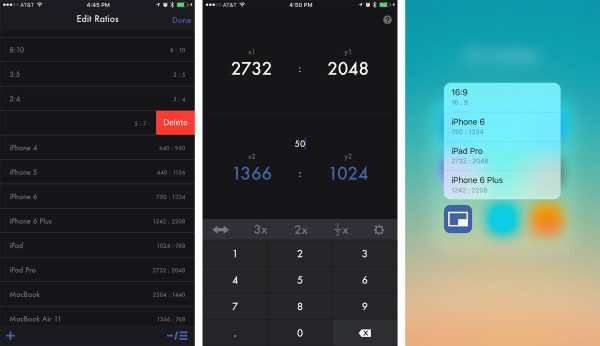
x2y comes with many common ratios built right in but you also have the option to add your own and edit current ones.
The latest update to x2y adds the ability for you to calculate aspect ratios based on percentage too. If you have a device that supports 3D Touch, you can use it on your Home screen to access the first four ratios you have listed. To change them, just reorder them in edit mode and put your most used as the top four.
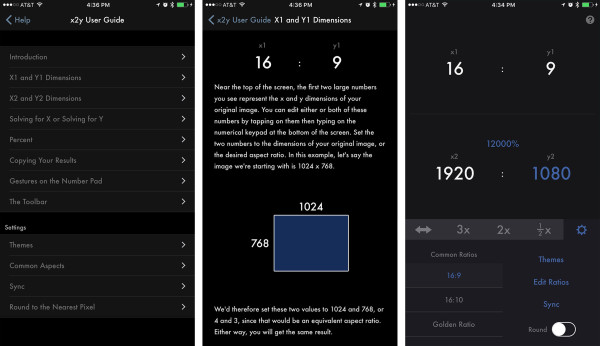
Even if you aren’t a designer or developer, x2y can be useful when trying to figure out what image size something needs to be in real life. We are currently in the process of remodeling a new home. As we finish different rooms, we’ve been trying to decide what kind of photos to put in different rooms, many of which I’ve taken while traveling. That means they all have to be printed, dry mounted, and in some cases, they also need matting applied.
I’ve found myself launching x2y in order to get ratios so I can figure out based on files sizes what photos will crop and fit the best in different frames. So far, it’s worked quite well and is much faster than fiddling around in Photoshop. Instead, I just look at the resolution in the thumbnail preview and quickly type it into x2y.
If you need aspect ratio information regularly for any reason, I highly suggest checking it out. It’s my new favorite way to get quick calculations, even when I’m sitting at my Mac.
- $4.99 – Download


