
Need some holiday shopping ideas for the iPhone, iPad, or Mac user in your life? From new gadgets and accessories to digital gifts such as apps and books, we have some great recommendations that should fit any budget. These are our top picks for our 2015 holiday gift guide!

How to automatically calculate aspect ratios on iPhone
If you’re a developer, designer, or photographer, you probably spend quite a bit of time trying to calculate aspect ratios. If you have an iPhone, x2y can do all that for you automatically.

How to quickly get rid of junk mail with a single iPhone app
If you’re looking for a better way to manage email subscriptions and junk mail, your life is about to get a whole lot better. Unroll.me is a new iPhone app that lets you quickly triage and manage all your subscriptions. When I first scanned my iCloud inbox, Unroll.me found over 70 subscriptions and items it considered *junk*. In less than 10 minutes, I was able to condense those into daily digests, or get rid of them altogether.

How to quickly add multiple events in Fantastical using Drafts 4
My favorite calendar app is Fantastical. It does a great job of helping me stay on top of my calendar and reminders without over-complicating things. Inputting an event in Fantastical is simple since it comes with natural language support built right in. That means you can type in plain English to make an event or reminder. But what if you want to add multiple events in Fantastical at once? You can, with the help of Drafts 4!

3D Touch tips: Using Launch Center Pro as a media controller
While some apps haven’t quite figured out best use cases for 3D Touch just yet, there are a [handful of apps that have gotten it right. One of those apps is Launch Center Pro, which lets you choose what apps you get access to through 3D Touch actions. I’ve chosen to take advantage of this by using it as a way to launch my most used media apps; Rdio (RIP), Sonos, Music.app, and Pandora. By doing this, I’ve freed up 4 additional spaces on my first Home screen for other apps.
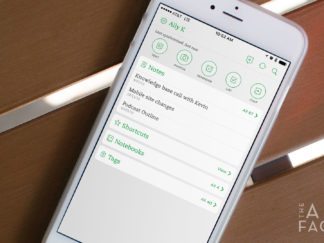
How to transfer notes from Evernote to Apple Notes
After the launch of iOS 9 and El Capitan, I started giving the built-in Notes app some serious consideration. However, the sheer amount of notes I already had saved in Evernote over the years held me back. A few weeks ago while skimming my RSS feeds, I found an easy way to transfer notes from Evernote to iCloud notes.

3D Touch tips: Redeem iTunes gift cards and promo codes faster
If you have an iPhone 6s or 6s Plus, 3D Touch allows you to get to certain actions even faster. The more I spend time with my iPhone 6s Plus, the more 3D Touch tips and tricks I seem to find. One of my new favorite 3D Touch actions lets you get to the redeem section of the iTunes and App Store apps even faster.

Best checklist apps for iPhone, iPad, and Mac
The App Store is full of options when it comes to to do and checklist apps, many of which come with tons of advanced features such as tags, filters, workspaces, and more. If all that makes your head hurt, you aren’t alone. There are lots of todo apps that can help you stay on task without overdoing it.

The easy way to make Apple and Amazon affiliate links
Linking to apps, gadgets, books, music and more has become second nature. Here’s an easy way to make Apple and Amazon affiliate links to share.

Three exciting endless runners, all under $3
Endless runners are great anytime games. With so many to choose from, here are 3 of the best endless runners of all time!

A week with iPad as a student, writer, and QA professional
I purchased my first iPad about 2 years ago. It was an iPad 3. I still remember how that iPad suffered under iOS 7. Laggy animations, choppy performance, and no true multitasking.

Best 3D Touch apps: The ones I’m actually using so far
3D Touch quickly became one of my favorite features of the iPhone 6s. In fact, some of the default 3D Touch options are ones I don’t think I could live without ever again. I even find myself trying to use some of the them on my iPad Air 2.

