
About half a year ago I was tipping the scales at nearly 300 pounds. Every day I thought I might have a heart attack. I knew I had to get in control of my health and my weight. Thats where the iPhone and Apple Watch came in.



How to quickly unsubscribe from mailing lists in iOS 10
Is your Inbox cluttered with tons of mailing lists? While there are a number of services and apps that offer the ability to unsubscribe from newsletters, now with iOS 10 you can do it right from within the native Mail app.

Episode 15: Mario, the Darth Vader Watch, and the quest for the Jet Black iPhone
This week on the App Factor Podcast, Justin and Brian talk about their favorite announcements from the September 2016 Apple Event, what devices they’re ordering, Mario!, and more.

The easiest way to rearrange your share sheet
Share and action extensions have been one of the most powerful ways to make things happen between apps. I’m using extensions to edit photos, copy text to different devices, save articles to read-it-later services, and a number of other helpful features. Now there’s an easy way to rearrange your share sheet.
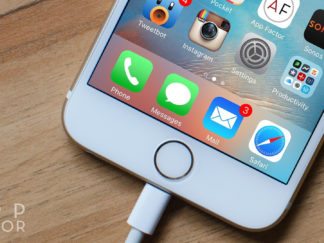
iOS 10 tips: How to back up your iPhone or iPad before updating
Before updating to iOS 10, you’ll want to make sure you create a backup of your iPhone or iPad, whether that be though iCloud or iTunes. This way, if something goes wrong during the update, you can rest assured all your photos, videos, messages, and other content are safe.

The best apps to schedule tweets on iOS
Scheduling tweets is one of the most popular ways to make your social media presence shine. While Twitter’s official app still doesn’t offer the option to schedule tweets, there are a few apps on iOS that can make the process simple.

Episode 14: The future of Apple, starting to code and more
This week on the App Factor Podcast, Justin and Brian talk about the future of Apple, learning how to code, guitar apps, games and much more.

How to get the most out of your iTunes library using Smart Playlists
It’s no secret that with all of the streaming services currently out there, it’s easy to suffer option paralysis. Using Smart Playlists is one of the best features to get more out of your iTunes library. You can use these types of playlists for all types of media, but today we’re going to focus on interesting ways it can help bring up music for you.

How to use your iPad as a second screen for your Mac
Being able to use two screens rather than one can boost your productivity in a big way. Whether you’re writing in one screen, and doing research on another, or using one screen to podcast, and view your recording levels on the second screen, the benefits of using two screens are limitless.

My favorite feature: How to use Twitter lists
Twitter lists are an invaluable feature, and can help you make sense of the near every second stream of Tweets that you’ll see. From grouping people who enjoy your interests together, to using them for business, lists make Twitter extremely useful.

