
The 2016 Olympics in Rio are in full swing. Now more than ever there are a number of ways to watch, go behind the scenes, and talk about the Olympics. Here are some great apps that’ll help you watch the Olympics or have an awesome second screen experience.
Apps

Quick tips: How to set location based reminders
Reminders is one of my favorite stock apps on iOS, allowing me to remember various lists of tasks I need to complete. It’s perfect for shopping lists, books I want to read, movies I want to watch, and much more. I love the Siri integration with Reminders, and will rattle off a bunch of different tasks that way and set due dates for each one.

Interview with Matthew Bischoff of Lickability
I first heard about Matthew Bischoff when he was at the New York Times. I initially was intrigued because I wanted to know how he pulled off both working at such a big corporation and finding the time to make such useful apps.

Best Mac Apps: My most used menu bar apps
Being able to control so many facets of my Mac from the menu bar makes working on the computer a real joy. Some of the apps I use on a day to day basis are simple utilities or social tools, while others are power user apps with endless amounts of features and capabilities.
These are the menu bar apps I install as soon as I get a new Mac. They’ll turn your ordinary Mac into a productivity machine!

The easiest way to sign documents on iOS
I’m often asked, “what’s a simple way I can sign a PDF without having to print the document out?” Many times, the person is trying to live the paperless lifestyle. There are a number of great PDF apps that can wrangle all sorts of text for editing and signatures. Some of my favorites are PDF Expert and Documents, both from Readdle, and some of the offerings from Adobe. However, after having tried many of these apps, I’ve stuck with PDFpen from Smile Software, makers of another favorite of mine, TextExpander.

Interview with Neven Mrgan of Panic Inc.
Neven Mrgan is a graphic designer and writer who has worked on everything from apps to games. You might know him from his work with Panic where he’s designed software like Coda and Transmit, or his work with games such as Firewatch, Space Age, Grayout and more.
How to use Launch Center Pro to scan QR Codes
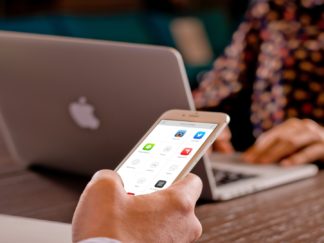
Over the years the camera on the iPhone has gotten dramatically better. Apple keeps adding new features to make snapping photos and recording videos easier, but unfortunately you still can’t use it to scan QR Codes. QR Codes can be implemented for a variety of uses such as website or app links, promo codes, tickets, contact information and more. There are a lot of QR Code scanner apps on the App Store but I’ve found that Launch Center Pro has worked quickly for me.

How to use your iPhone or Apple Watch with Bluetooth headphones
Rumors are running rampant about the new iPhone not having a headphone jack. Whether or not that’ll be the case once the phone ships in the Fall, it’s great to know alternative ways to listen to podcasts, music and more from your devices. You can set up your iPhone and Apple Watch with a number of Bluetooth accessories, including speakers, headphones, and tons of other devices.
3 apps that make getting fit fun
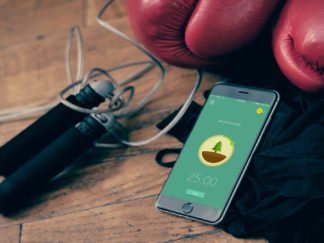
Many times the hardest part is not the act of doing the thing you were trying to do, but to get past the resistance to even start at all. Getting exercise is one of the biggest places where resistance can creep up. There are tons of exercise apps out there that gamify your experience to keep you coming back for more. But what about getting past the initial hurdle of getting started?

How to add a legacy contact to Facebook
What happens to your social accounts after you pass on? Thankfully, Facebook has an option to add a legacy contact so that you can have a trusted person give information to your friends and family at a very trying time.
Best two-factor authentication apps
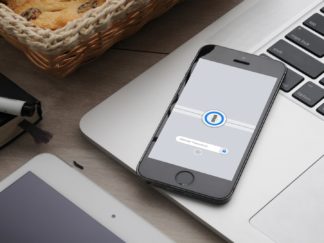
It’s a necessity to be safe regarding your online presence, which is why I always enable two-factor authentication for every online account I have. For those who don’t have this already enabled on their logins, two-factor authentication will ask you for a numerical pin after logging in using your password. This makes your account much

Interview with Ben McCarthy, developer of Obscura
A while back I started noticing a couple of the folks I follow on Twitter posting some beautiful pictures. What I came to find out is that they were beta testing a new camera app called Obscura. Obscura is amazing and has replaced the stock Camera app on my iPhone. The creator of Obscura, Ben McCarthy was nice enough to sit down with me and answer a few questions about his app and about photography.

