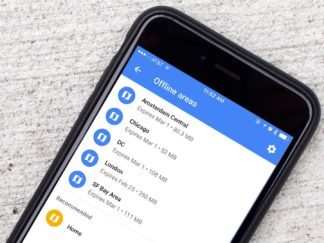
One of my favorite features of the Google Maps app is its ability to save offline maps on iPhone. Whether you want map access regardless of cell reception or you’re traveling abroad and won’t have a data connection, Google Maps is king. Even better, it costs you absolutely nothing.
App Tips

How to turn any photo into a Live Wallpaper on iPhone 6s
The iPhone 6s and iPhone 6s Plus come with the option to make any Live Photo you take a Live Wallaper on your iPhone’s Lock screen. However, if you have still images in your Camera Roll you’d like to make live, here’s how to turn any photo into a Live Wallpaper on iPhone:

How to quickly share links to Apple Notes
Apple Notes got a great update in iOS 9, so good in fact that a lot of us made the switch from Evernote to Apple Notes a permanent one. One of our favorite new features is the ability to share links to Apple Notes from almost anywhere using the Share sheet. You can even add

How to watch picture in picture YouTube videos on iPad
iOS 9 introduced picture in picture, or PiP, functionality for iPad users. That means you can watch videos in a floating window while continuing to do something else. Unfortunately the built-in YouTube app doesn’t currently support picture in picture — but that doesn’t mean you can’t watch picture in picture YouTube videos on iPad. Here’s

How to manage, edit, and delete multiple contacts on iPhone and iPad
Interact is a brand new contact management app by Agile Tortoise, the same makers of the popular notes app Drafts. It’s no secret that contact management on iPhone and iPad is lacking. Interact solves a lot of its shortcomings, such as the added ability to edit and manage groups, send messages and attachments to entire
Snapchat tips: How to share past or existing photos
Just the other day a friend of mine told me they wished they could post photos they had already taken on their iPhone to their Snapchat account. As it turns out, you can post existing photos to Snapchat, with just one caveat. There are many times when accessing the camera from the Lock screen or

Instagram tips: How to adjust the strength or intensity of a filter
There are instances where I want to use an Instagram filter on a photo but I find it to be too strong, or too intense, but somewhere in the middle would be a nice compromise. This is why Instagram gives you the option to adjust the strength and intensity to your liking. Here’s how: Instagram
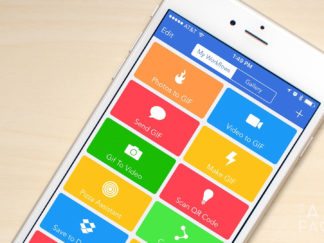
Workflow tips: Uploading multiple images to Dropbox
Dropbox is my central repository for many files I need to access no matter where I am or what device I’m using. From college work to managing multiple screenshots for articles, I rely on Dropbox upload for a lot of things. Unfortunately, Dropbox for iPhone and iPad only allow you to upload one photo or screenshot at a time. Luckily Workflow can fill the gap and let us upload multiple images at once to Dropbox. Here’s how:

How to fix iPhone out of storage issues with Google Photos
We’ve all been there, the dreaded *You are out of storage space* message on your iPhone or iPad. One of the biggest culprits, aside from the Messages app, is years and years worth of photos. Unfortunately iOS doesn’t yet give us a “bulk delete” option. However, if you have an iPhone out of storage (or iPad), you *can* use the Google Photos app to clear out unnecessary photos.

How to color with the iPad Pro and Apple Pencil
As soon as I got my hands on the iPad Pro and the Apple Pencil, I immediately wanted iPad Pro coloring apps to go with it. While at first there wasn’t much to choose from, the options are getting better. In the interim, I found that if you get a little creative, your options for coloring on the iPad Pro are already endless.

10 tips and tricks for dealing with a Mac out of storage
Is your Mac running out of disk space? If so, here are 10 Mac storage tips that can help you recapture some much-needed disk space in no time!

How my iPhone is helping me get healthy again
Getting healthy is a long road, but technology and apps can truly help us achieve our short and long term health goals. Here are 4 apps that will help you get fit!

