
There’s nothing like a fast paced, action game that requires you to think quickly. These exhilarating games will make you want to play over and over again, and could also have you wanting to rip your hair out!
Apps

50 pounds down: How I used the iPhone and Apple Watch to lose weight
About half a year ago I was tipping the scales at nearly 300 pounds. Every day I thought I might have a heart attack. I knew I had to get in control of my health and my weight. Thats where the iPhone and Apple Watch came in.

How to add apps to your dock in watchOS 3
watchOS 3 has brought some brand new functionality to the side button on your Apple Watch. It can now house your favorite apps for quick access.

The best apps to schedule tweets on iOS
Scheduling tweets is one of the most popular ways to make your social media presence shine. While Twitter’s official app still doesn’t offer the option to schedule tweets, there are a few apps on iOS that can make the process simple.

How to hide your Instagram Stories from select people
Stories are a new feature of Instagram. If you’re familiar with Snapchat’s stories feature, this will look very similar to you. You may not want everyone to see your story however, and luckily Instagram has implemented a feature that lets you hide your Story from select people who are following you.

3 Mac apps that’ll help you avoid distractions and stay focused
Looking for great apps to help you keep focused and ward off distractions while you’re working on your Mac? Here are 3 that are sure to keep your productivity high!

How to get the most out of your iTunes library using Smart Playlists
It’s no secret that with all of the streaming services currently out there, it’s easy to suffer option paralysis. Using Smart Playlists is one of the best features to get more out of your iTunes library. You can use these types of playlists for all types of media, but today we’re going to focus on interesting ways it can help bring up music for you.
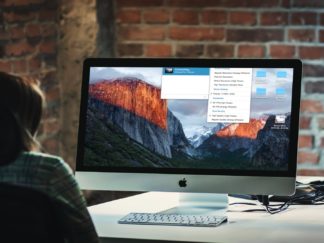
How to use your iPad as a second screen for your Mac
Being able to use two screens rather than one can boost your productivity in a big way. Whether you’re writing in one screen, and doing research on another, or using one screen to podcast, and view your recording levels on the second screen, the benefits of using two screens are limitless.

My favorite feature: How to use Twitter lists
Twitter lists are an invaluable feature, and can help you make sense of the near every second stream of Tweets that you’ll see. From grouping people who enjoy your interests together, to using them for business, lists make Twitter extremely useful.

Quick tips: How to remove Prisma’s watermark
There are hundreds of apps on the App Store that’ll take your photos to a whole other level. From simple apps such as VSCO, where you can apply filters on your photos, to apps that “re-draw” your photos like Prisma. Prisma is a new photo editor on iOS which can turn your photos into little works of art.

3 of the best apps for listening to podcasts
Podcasts have been enjoying a surge in popularity lately, and more and more people are listening to them on their iOS devices, at home, or on their daily commute to and from the office. There are a plethora of podcast apps out there, from free built-in offerings to paid apps for power users. In this post we look at some of my favorites.

How to find the perfect bottle of wine with your iPhone
While it’s true that more and more folks are buying wine, and that it’s more possible than ever to find great values, many people are intimidated by the vast amount of bottles to choose from and don’t have information on what to buy or how to get the best prices. These are some of my favorite apps when I’m trying to find a great price, wine pairing, or trusted information from the wine community.

