
Over the past year, I’ve started depending on my iPhone more often for my photography needs. Not only has the camera gotten better, but the apps that take advantage of it have too. This has made me comfortable enough to leave my DSLR at home in many situations. I’m even debating leaving my Nikon at
Apps
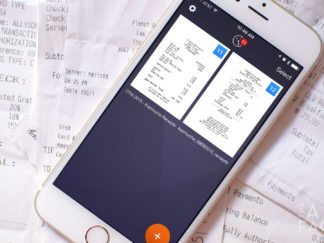
How to quickly scan and send receipts with your iPhone
Lots of people have to keep track of expense receipts during the workweek, myself included. Luckily, what used to be a huge pain is now dead simple thanks to my iPhone and apps like Scanner Pro by Readdle.

How to save web pages as PDF files with Workflow for iOS
We find interesting things on the web every day. Unfortunately, web pages don’t always stay the same. Sometimes they can even disappear altogether. So if you stumble upon something you *really* want to save forever, I suggest saving it as a PDF. If you have an iPhone or iPad, you can do so easily with Workflow for iOS.
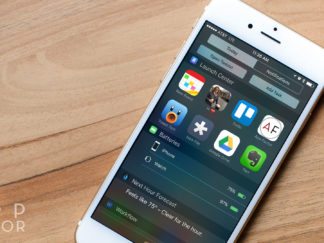
How to create shortcuts on iPhone with Launch Center Pro
Launch Center Pro has long been one of my favorite utility apps for iPhone. For those not familiar, Launch Center Pro allows you to create shortcuts not to apps, but to actions themselves. Tweet photos a lot? One tap lets you attach your latest photos. Send frequent group messages to the same people? Launch Center Pro has you covered.
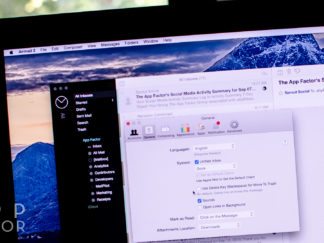
How to use both archive and delete in Airmail 2 for Mac
Most email services nowadays let you choose if you want to trash or archive mail, this is especially the case for Gmail or Google Apps accounts. Unfortunately a lot of mail apps make you choose one or the other as the primary choice, making the other much less convenient. With Airmail 2 for Mac that isn’t the case.

How to get things done on time with Nozbe for iPhone and iPad
Getting Things Done (GTD) is a productivity methodology developed by author and speaker David Allen. Nozbe is a software application founded by Micheal Sliwinski to harness the power of GTD. Here’s how I use it on iOS to stay on top of tasks…

How to track price drops with TrackIf and IFTTT for iPhone
From tech gadgets to clothes to our favorite tv shows and movies, prices for our favorite things are constantly changing online. If time isn’t an issue, I can show you how to get fantastic deals with only two iPhone apps, TrackIf and IF by IFTTT.

How to simplify your Mac menu bar with Bartender
Some Mac apps let you choose whether you want a dock icon or menu bar icon. I prefer menu bar icons so my dock contains only my most important apps. Unfortunately, this can make the menu bar appear cluttered. Luckily, Bartender helps solve that problem.

iPhone photography tips: How to take great long exposure photos
Long exposure photography lets you capture light trails, motion blur, and better low light shots. While the built-in Camera app doesn’t let you control shutter speed and light sensitivity, there are lots of apps available in the App Store that do. Slow Shutter Cam is my favorite and here’s how I’ve used it to capture long exposures with nothing but my iPhone 6 and a tripod…
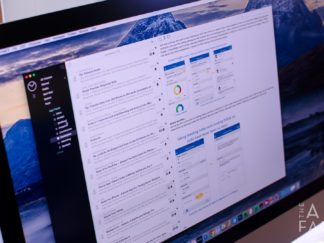
Best Mac apps: Our favorite mail apps for OS X
Not getting enough from the built-in Mail app on your Mac? Perhaps you’re a Gmail user that wants both delete *and* archive functionality at your fingertips, or maybe you want Dropbox support for file attachments. Whatever the reason, there are a few great alternatives when it comes to handling email on the Mac.

How to automatically hide Mac apps with Hocus Focus
As we work on our Macs, our desktops tend to become cluttered with apps and all the windows they contain. You can always hide Mac apps by using the Cmd + H keyboard shortcut, but that can be a tedious task if you have several apps open. Instead, let Hocus Focus automatically hide your unused Mac apps for you!

Best team collaboration apps for iPhone, iPad, and Mac
If you’re working in a creative environment of any kind, the importance of being able to collaborate easily with others on your team is vital. Here are a few of my current favorites and how they fit into my daily workflow.

