
As soon as I got my hands on the iPad Pro and the Apple Pencil, I immediately wanted iPad Pro coloring apps to go with it. While at first there wasn’t much to choose from, the options are getting better. In the interim, I found that if you get a little creative, your options for coloring on the iPad Pro are already endless.
Tips

Family Sharing tips: How to view another family member’s iTunes and App Store purchases
If you’ve enabled Family Sharing on your iCloud account, that means other family members are able to view and download your iTunes and App Store purchases, and vice versa. One of the biggest questions I get is *how* to access that content and view everything a family member has already purchased.

10 tips and tricks for dealing with a Mac out of storage
Is your Mac running out of disk space? If so, here are 10 Mac storage tips that can help you recapture some much-needed disk space in no time!

How my iPhone is helping me get healthy again
Getting healthy is a long road, but technology and apps can truly help us achieve our short and long term health goals. Here are 4 apps that will help you get fit!

How to share from GarageBand to Google Drive
Since the iPad Pro’s release I was determined to work it into my daily life where my other iPad had never secured a place – I wanted to record guitar, write, and also use it for my 9-5 job. In doing this I found some shortfalls, including the ability to share from GarageBand.

How to track price drops with PriceRadar for iPhone
From tech gadgets to clothes to our favorite tv shows and movies, prices for our favorite things are constantly changing online. If time isn’t an issue, I can show you how to get fantastic deals with only one iPhone app — PriceRadar by Francesco Zerbinati. Once set up, you can easily track price drops effortlessly.

How to access Instagram, Dropbox, and more from your iPhone keyboard
I’ve never been a huge fan of third-party iPhone keyboards, mainly because of the crappy implementation on Apple’s part. However, I came across one recently called Thingthing Keyboard that actually serves a purpose far more useful than enhancing your typing experience. Instead it focuses on allowing you quick access to content in Instagram, Google Drive, Dropbox, Pocket, and more.

Notification Center tips: How to customize sort order in iOS 9
Prior to iOS 9, notifications could be a little unwieldily. Thankfully in Apple’s latest release, we now have more control of how our notifications are displayed. You essentially have three choices for your notifications to appear — recent, manual, and grouped by app.

How to change where screenshots are stored on your Mac
I take a *lot* of screenshots on my Mac. This typically results in my desktop being cluttered with files I don’t really need to be there once I’m done with them. That’s why I decided to change the location where screenshots are stored. My desktop is now clean and I still have quick access via a *folder* on my desktop. Here’s how you can do the same:

How to clean up and expand shortened URLs using Workflow
When sharing a link, I always want to share the *cleanest* URL possible. In most cases, that means an expanded URL over a shortened one. Besides clarity, it allows readers to have an idea of what kind of content they’re clicking into. Workflow allows you to easily expand shortened URLs with the help of a single action.
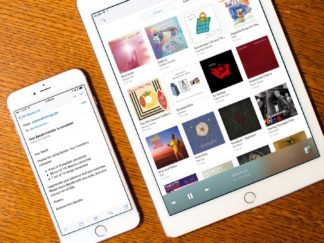
How to move your music library and playlists from Rdio to Spotify
Rdio will be shutting down for good at the end of the year. It’s been my streaming music of choice for an incredibly long time and I’m really sad to see it go. Since I won’t be taking Apple Music seriously any time soon, I’m heavily considering Spotify. As it turns out, a service called Byedio has already been set up to help you get all your music and playlists automatically transferred from Rdio to Spotify.

How to automatically calculate aspect ratios on iPhone
If you’re a developer, designer, or photographer, you probably spend quite a bit of time trying to calculate aspect ratios. If you have an iPhone, x2y can do all that for you automatically.

