
Reminders is one of my favorite stock apps on iOS, allowing me to remember various lists of tasks I need to complete. It’s perfect for shopping lists, books I want to read, movies I want to watch, and much more. I love the Siri integration with Reminders, and will rattle off a bunch of different tasks that way and set due dates for each one.
App Tips

The easiest way to sign documents on iOS
I’m often asked, “what’s a simple way I can sign a PDF without having to print the document out?” Many times, the person is trying to live the paperless lifestyle. There are a number of great PDF apps that can wrangle all sorts of text for editing and signatures. Some of my favorites are PDF Expert and Documents, both from Readdle, and some of the offerings from Adobe. However, after having tried many of these apps, I’ve stuck with PDFpen from Smile Software, makers of another favorite of mine, TextExpander.
How to use Launch Center Pro to scan QR Codes
Over the years the camera on the iPhone has gotten dramatically better. Apple keeps adding new features to make snapping photos and recording videos easier, but unfortunately you still can’t use it to scan QR Codes. QR Codes can be implemented for a variety of uses such as website or app links, promo codes, tickets, contact information and more. There are a lot of QR Code scanner apps on the App Store but I’ve found that Launch Center Pro has worked quickly for me.
Echo tips: How to set Spotify as your default music library
Love using your Amazon Echo, but want to use Spotify as the default music library? We’ve got you covered. This post shows you exactly how to set Spotify as your default so you’ll never have to say “on Spotify” again.

How to add a legacy contact to Facebook
What happens to your social accounts after you pass on? Thankfully, Facebook has an option to add a legacy contact so that you can have a trusted person give information to your friends and family at a very trying time.
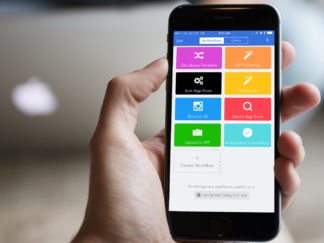
How to add multiple tasks to OmniFocus using Workflow
Looking to get all the stuff out of your brain into a task manager with one worfklow? We have you covered! Check out this Workflow to Omnifocus how to.

Snapchat Tips: How to Add Music to Your Snaps
Snapchat stories are one of the most fun features of the app. If you want to add a soundtrack to your day, adding music to your snaps is a great way to make them stand out.

How to share pictures directly to Instagram from the Photos app
I’ve never understood why there is no Instagram share extension for sharing pictures directly from the Photos app on my iPhone. In many cases, I prefer editing photos with apps like Afterlight or Polarr, both of which support app extensions and allow me to edit without ever having to leave the Photos app. Luckily, even
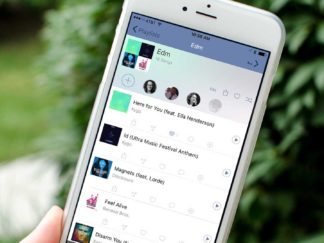
How to share Apple Music and Spotify playlists the easy way
I was initially interested in Soundshare because I had been using Apple Music for the past couple of months and missed the collaborative playlists feature from Spotify, which I had used for years. Soundshare gives you the superpower to combine playlists no matter what music service you or your friends are on, whether that be Apple Music, Spotify or Deezer.

How to add Todoist tasks with Siri
Todoist has long been my favorite task manager for iOS. I use it every single day to make sure I stay on schedule with work and personal tasks. One thing I do always find myself missing with most task managers is the ability to quickly dictate something to Siri and have it added to my

How to unlock your Mac with an iPhone or Apple Watch
There aren’t a lot of apps I use regularly on my Apple Watch. The ones that I do use regularly consist of utilities that make my life easier, or apps that help me track things, like water intake or how many tasks I have left for the day. One of my favorite utilizes is MacID,

How to automatically add Trello cards to Todoist with iOS
As you may have noticed over the last month or so, I’ve had a little bit of a fascination with workflow automation and iOS. While some of it is the aftermath of trying to go iPad only, most of it is simply because I love using iOS to make managing tasks easier whenever possible. I

